
Insurance Lead Generation Expert New Braunfels
More quote requests, more calls, and more policies written. Google and Meta ads plus landing pages built for your lines of insurance, with every lead sent straight to your CRM.
$700K+ Ad Spend Managed
Across Google and Meta accounts
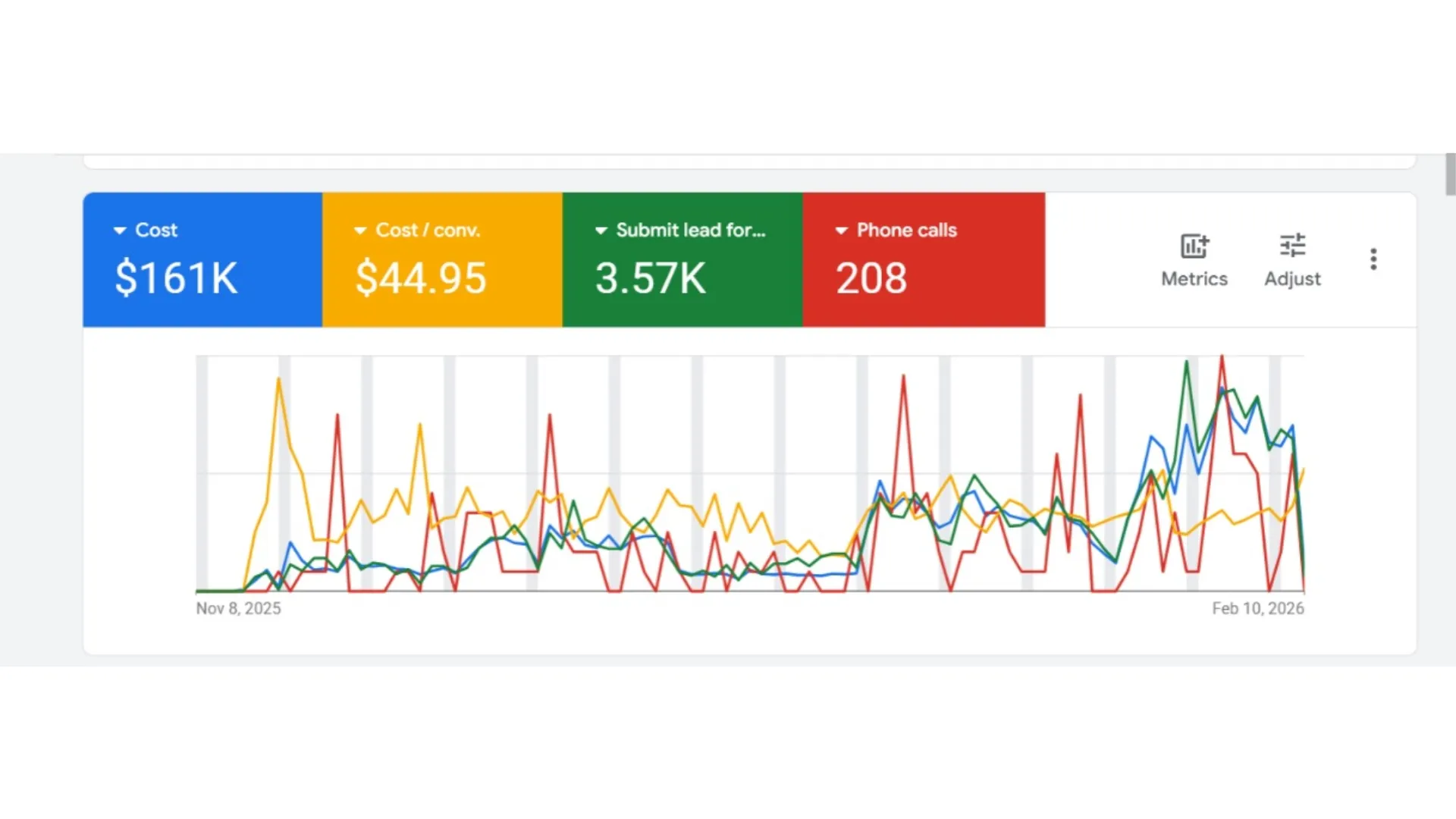
$161K in Insurance Ad Spend
Google Ads run for one insurance client
208 Phone Calls
On top of the quote forms, same account
Leads Sent to Your CRM
Ready for your team to call and quote
Quote Requests Are Easy to Buy. Bound Policies Are Not.
A lead vendor can fill your inbox by Friday. The same name may have gone to several other agents, and the fastest dialer won it before you opened the email.
When the ads run in your own account, the shopper only hears from you. What decides the sale is the path between the click and your first call. These are the six spots where agencies lose people.
The search or the scroll
Someone types a final expense or auto quote search, or stops on a Facebook ad.
Where it leaks: The ad promises something the page doesn’t.
The landing page
One line of business, one offer, one form.
Where it leaks: A homepage listing nine products and no phone number.
The form
Name, ZIP, age range, and the best time to call.
Where it leaks: Twelve questions before the shopper sees a button.
Your CRM
Google and Meta lead forms and your landing page feed straight into your CRM, so the lead is there the moment it’s sent.
Where it leaks: Leads parked in an email folder until lunch.
The first call
Your team calls while the shopper still remembers the ad.
Where it leaks: Calling the next morning, after they bought from someone else.
The policy
The number that matters is what one bound policy cost you.
Where it leaks: Judging ads by cost per lead alone.
Three Choices That Set Your Cost per Lead
Insurance lead generation in your own accounts starts here: pick the channel, then the page, and let click prices settle the budget.
Should I pay for Google searches?
Search reaches people shopping right now for auto quotes, Medicare plans, or truck coverage. Clicks cost more, and so does the intent behind them.
My call: Start here for lines people search by name. The budget comes from what a click costs in your area, not a package price.
Price My Search AdsIs Facebook worth it for insurance?
Meta shows your offer to people who aren’t searching yet. Final expense, mortgage protection, and IUL often sell this way, because few people type those words into Google.
My call: Use Meta when the line needs a story first: short lead forms, honest creative, and every lead sent to your CRM.
Plan My Meta AdsNew website or one landing page?
An ad that drops people on a homepage with every product listed loses many of them. Each line needs a page of its own.
My call: Keep your site for trust. Add a landing page per line, with one form and a tap-to-call button above the fold.
Build My Quote PageInsurance Lead Types I Run Ads For
Every line has its own buyer, its own timing, and its own rules. These are the ones I have run campaigns for.
Final Expense
Older buyers who would rather talk than type. Short form, big call button.
Medicare
Built around enrollment windows. The page must never look like Medicare itself.
ACA and Health
Google requires health insurance certification before these ads can run.
Life Insurance
Term shoppers compare fast, so the form asks only what a quote needs.
IUL
A longer decision. Ads explain the product and promise no returns.
Annuity
Retirees moving savings. Calm, clear pages beat urgent ones.
Mortgage Protection
Homeowners soon after closing, while the new payment is on their mind.
Auto Insurance
Price shoppers. The agent who calls back first often writes the policy.
Home Insurance
New buyers and renewals, with hail and roof questions common in Central Texas.
Commercial Truck
Owner-operators who need a certificate fast and would rather pick up the phone.
Veteran Leads
Mortgage protection, IUL, whole life, and home, with no wording that hints the VA is involved.
Your Line
Selling something not listed here? Its ad rules get checked before a dollar is spent.
Insurance Work From My Own Accounts
Two insurance websites and two ad accounts, shown as they are.
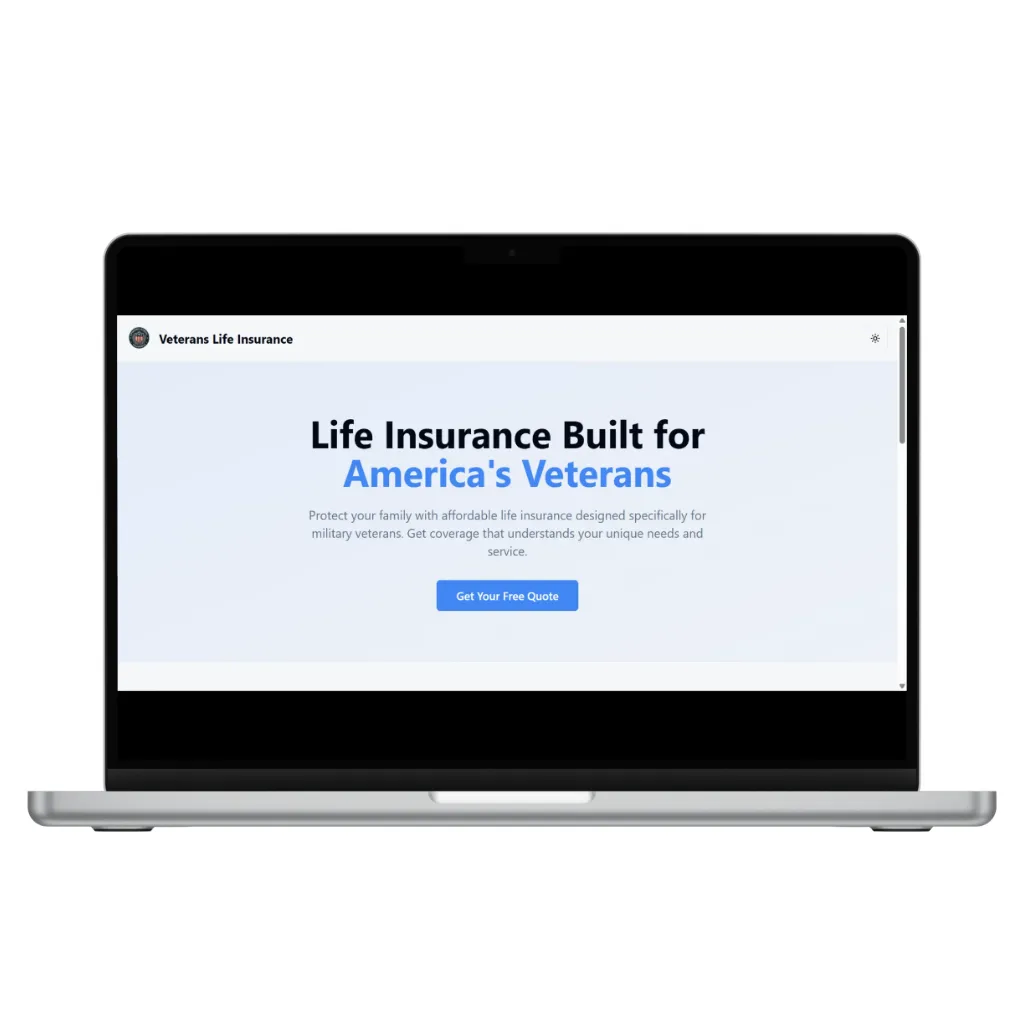
A Site for Veteran Insurance Leads
Designed for an agency that serves veterans, so a click from an ad turns into a quote request.
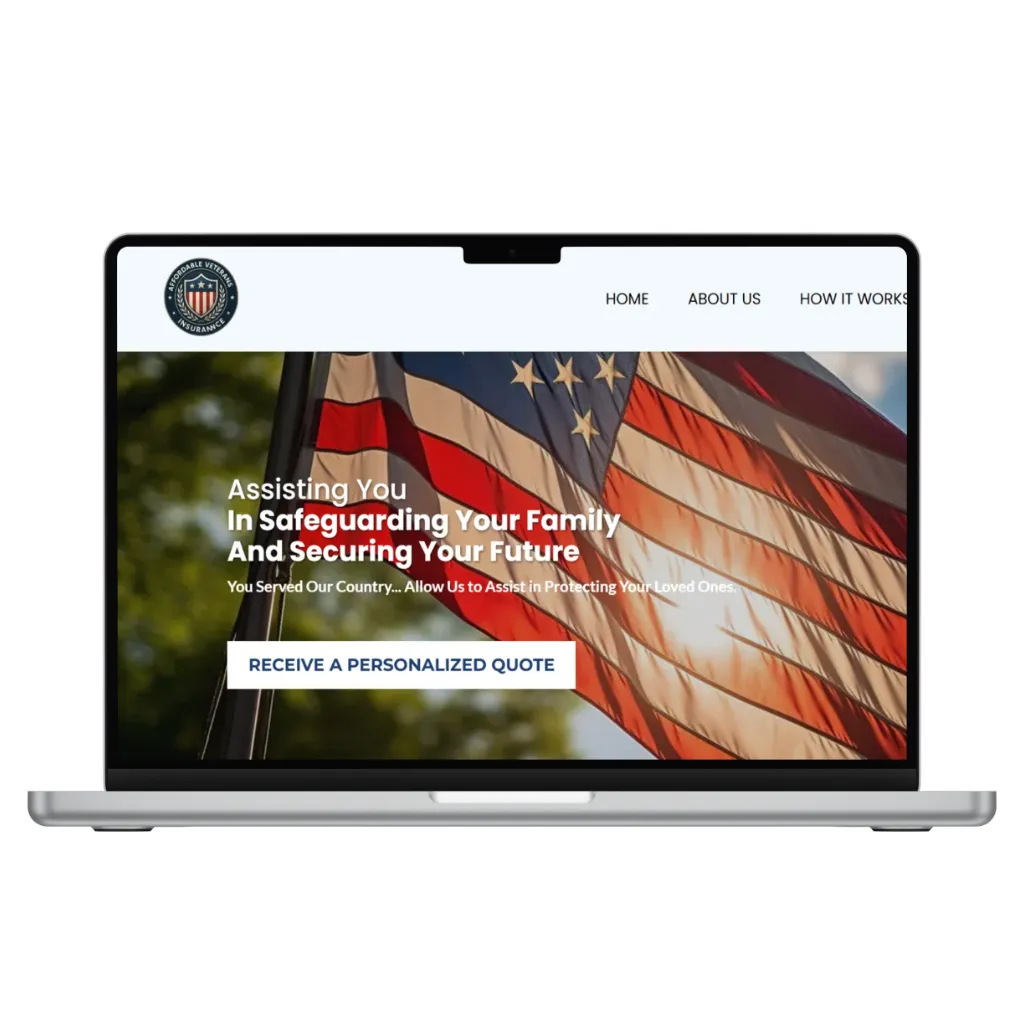
An Insurance Agency Website
Built so shoppers spot their line of coverage and request a quote from a phone without hunting.
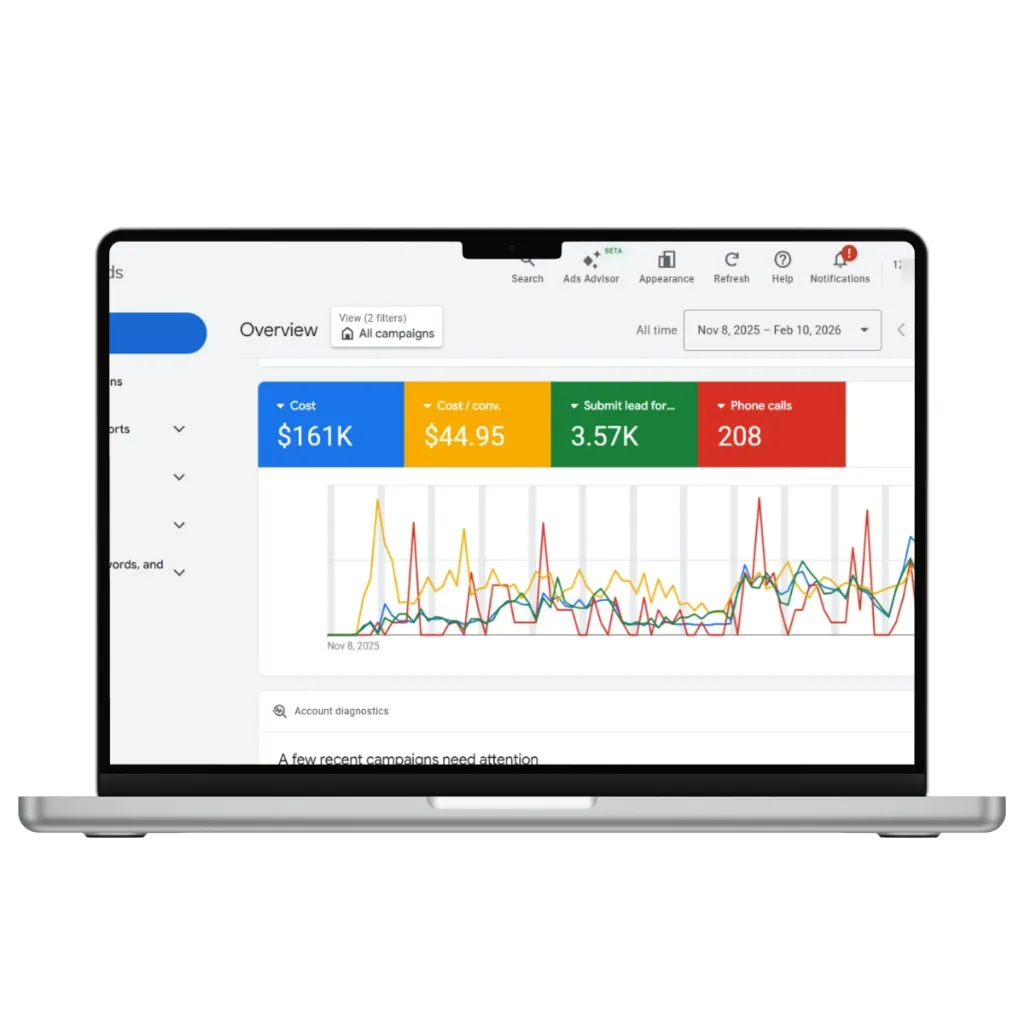
Search Ads for an Insurance Client
Spend, quote forms, and calls from one insurance client’s Google Ads account.
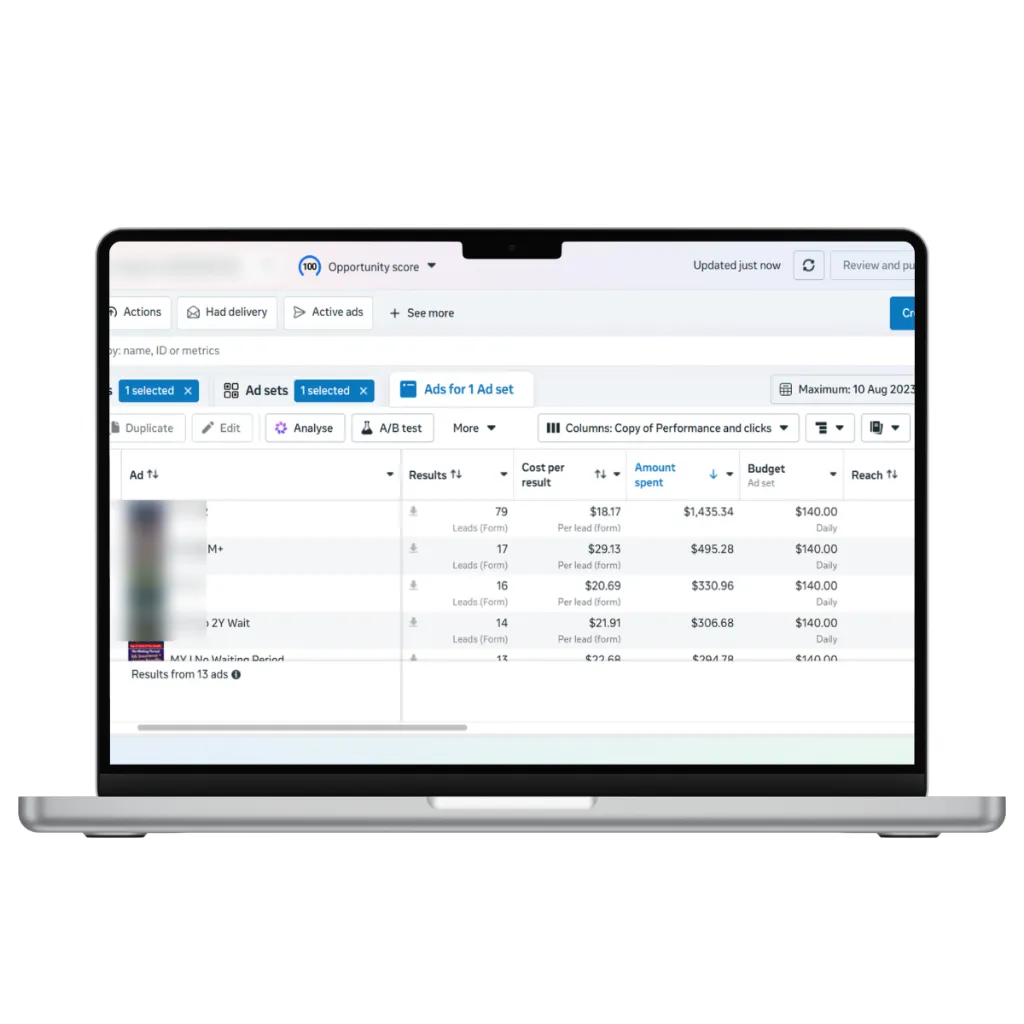
Meta Lead Ads for an Insurance Client
Lead form campaigns across Facebook and Instagram, with numbers as Ads Manager reports them.
Swipe for the other results
Bought Leads or Your Own Ads?
Both can work. Here is the honest trade-off.
| Bought shared leads | Your own ads, run by me | |
|---|---|---|
| Who else gets the lead | Often several other agents | Nobody. It’s your ad account |
| Speed to start | Same day | Pages and tracking come first |
| Cost per lead | A fixed price per lead | Set by click prices, the page, and the form |
| Who keeps the data | The vendor | You keep every lead and report |
| What you can fix | Little beyond the filters | The ad, page, form, and follow-up |
| Consent wording | You trust the vendor’s | You approve the ad and form text |
My take: if the phones need to ring this week, buy a small batch while your own pipeline is being built. Move that budget over once your own cost per bound policy comes in lower.
What Insurance Ads Can and Can’t Say
Checked before any ad goes live, line by line.
Never look official
Medicare and veteran ads can’t look like they come from the government or the VA. No seals, no “official” wording.
Health ads need certification
Google won’t run health insurance ads until the advertiser is certified for each place targeted. ACA keywords need one more step.
No promised returns
IUL and annuity ads describe the product. They don’t promise growth or a rate.
Consent on every form
A clear checkbox before anyone calls or texts the lead, using wording you approve.
Say who is advertising
Texas rules expect insurance ads to make clear who is advertising and what is being sold.
Real reviews only
No made-up testimonials. The FTC rule on fake reviews covers agencies too.
General guidance from running these campaigns, not legal advice. Your carrier or compliance team has the final word.
Get a Free Quote Funnel Review
Before you switch vendors or raise a budget, see where your quote requests come from, where they fall out, and what to keep, cut, and fix first to bring your cost per policy down.
Get My Free ReviewWhat Does One Policy Really Cost You?
Half an hour, your numbers on screen, and a plain answer on what to change first.
Insurance Agencies in New Braunfels and Nearby
Comal County is home. Because the ads run online, agents across Central Texas work with me directly.
New Braunfels
Comal County
Canyon Lake
Comal County
San Marcos
Hays County
Seguin
Guadalupe County
Schertz
Guadalupe County
Boerne
Kendall County
San Antonio
Bexar County
Austin
Travis County
From Review to Leads in Your CRM
Four steps, whether you work solo or run a team on the phones.
Free review
Your current lead sources, pages, and costs, ranked.
Tracking and CRM
Lead forms and landing pages connected to your CRM before a dollar is spent.
Launch by line
One line at a time, starting with the one that pays you best.
Monthly numbers
Leads, calls, cost per lead, and cost per policy when you share closes, plus the next change.
Frequently Asked Questions
Start with Google if people search for your line by name, like auto or Medicare plans. Start with Meta if the line needs explaining first, like final expense or IUL. Many agencies end up running both, each sending people to its own landing page.
They can fill a slow week. The catch is that you race other agents for the same person, and you can’t fix the source. Your own ads take more setup, and every lead belongs to you alone.
There is no fixed minimum. The budget comes from three numbers: the price of a click for your line in your area, how many leads it takes to write one policy, and what that policy pays you.
Yes. Google requires health insurance certification before those ads run, and Medicare marketing follows CMS rules on disclaimers and consent. Ads and pages follow the wording your compliance team approves and never look official.
Neither. The ads run in your Google and Meta accounts, the leads go into your CRM, and you see every number. If we part ways, every account and lead stays with you.
Get Leads That Come Only to You
Tell me which line you want to grow, and I’ll tell you honestly whether ads are the right fix.
Tell Me About Your Agency
Tell me the lines you sell, where today’s leads come from, and the CRM you use. I’ll answer personally and name the first thing I’d change.
- Answered by Khizar, not a sales team
- Your numbers stay private
- No pressure to sign anything
Agency Details
Your lines and current lead sources are enough to start.